
Use a standard taxi route
Before first use, check EuroScope settings.
Standard routes
Section titled “Standard routes”Moderators publish an airport’s SOP taxi routes. STD > on the RTE strip lists them.
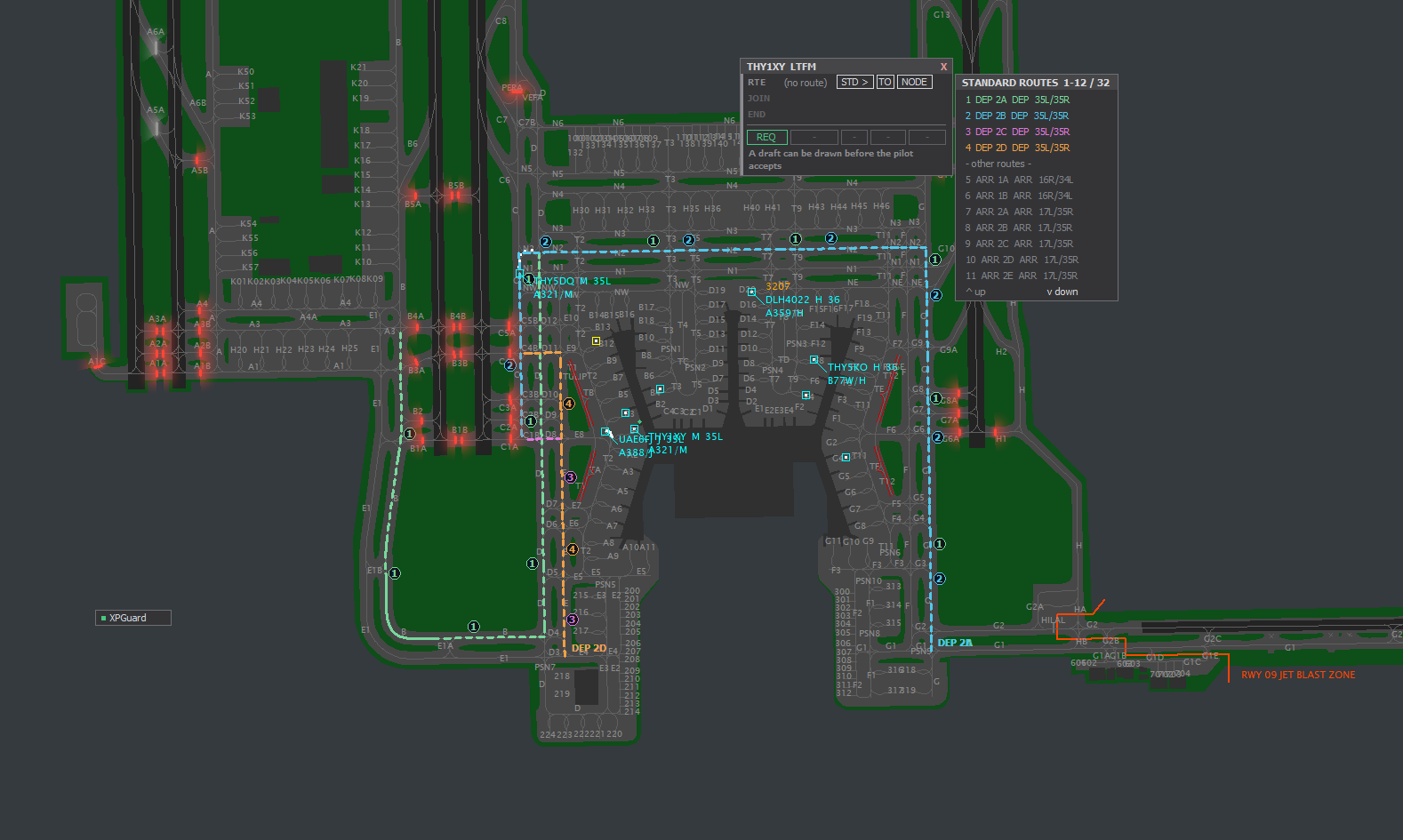
STD >- the routes for this flight (DEP/ARR and assigned runway) first, the rest below.- Pick one. RTE reads
STD <name>, the route draws solid. - Pick the “join via” route on the JOIN strip: chips
1-4, the same numbers as badges on the radar.MANUALdraws it by hand (click nodes,Ctrl+clickremoves, drag moves).on the route= the aircraft is already on it, nothing to pick. - Pick the end on the END strip: the holding points the route serves, numbered amber, in
order. The route is cut there and a red line marks the bar.
NO HOLDextends the route until the end.- If the route author selected Hold points for a departure route, only those points are offered as exits. A long route should not lose its far-end hold just because it passes many other bars.
SEND- dim until the way in and the end are picked.
EDITreopens a sent standard route: ways in are re-listed from where the aircraft is now, the end comes back. Change one,SEND.- Suggest join: OFF (default) skips the numbered chips and arms
MANUALby default.