
Follow the Greens in X-Plane
Follow the Greens (FTG)
Section titled “Follow the Greens (FTG)”Follow the Greens is a trail of green taxiway centerline lights (figure below). A controller switches them on to lead you along your cleared route. You taxi by following the greens.
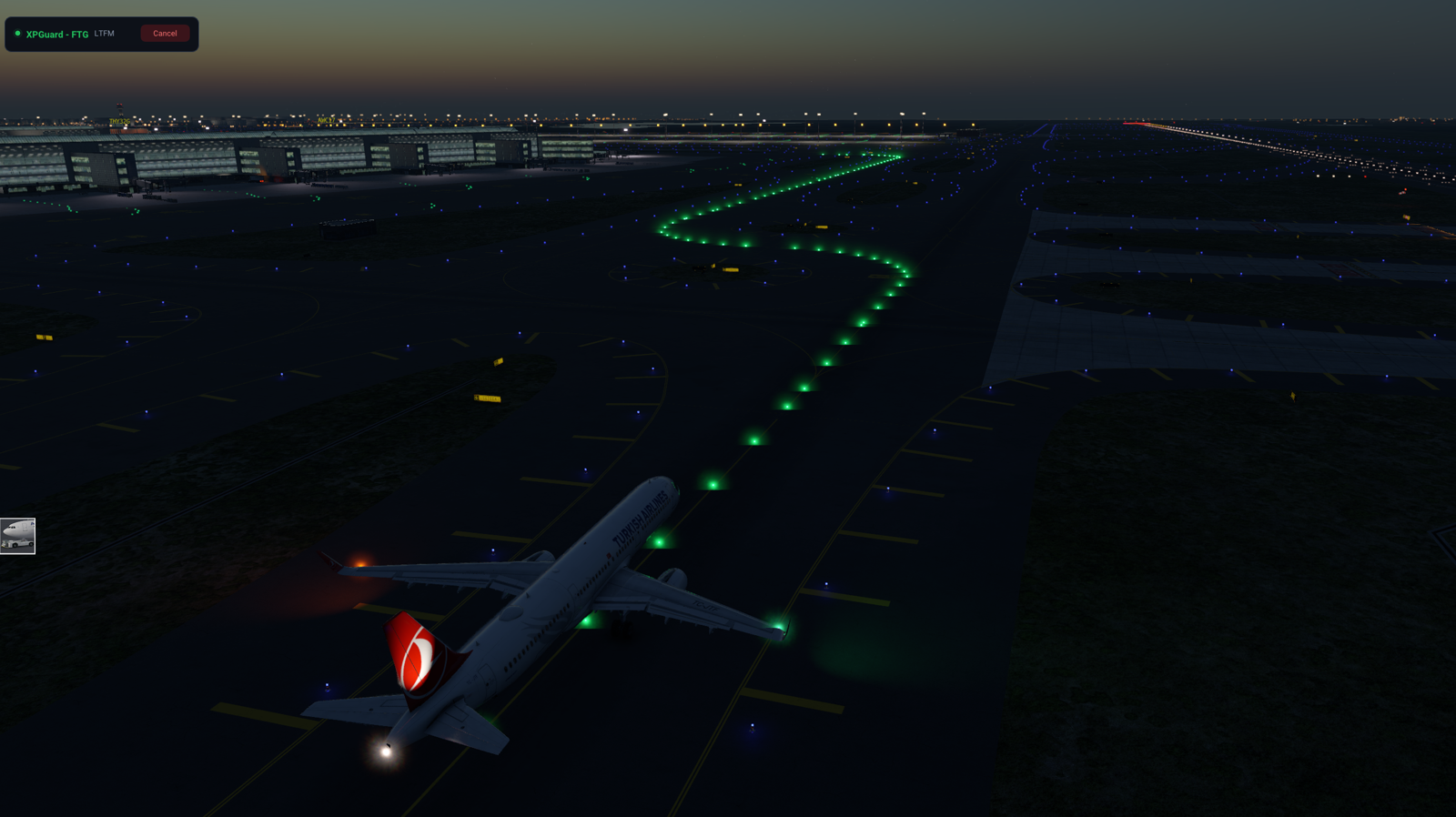
- Controller-driven and VATSIM-only - you never start it yourself.
- Needs a published taxi network, so it is not available at every airport yet.
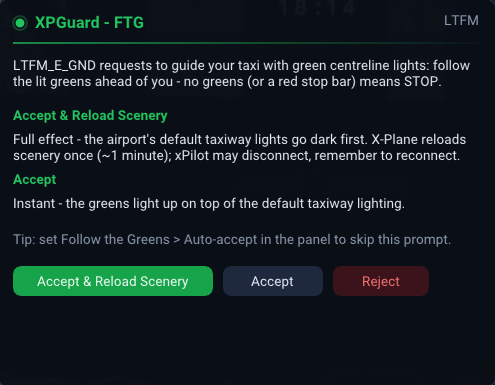
- A controller starts FTG for your callsign. A request popup names them (figure below).
Answering a request
Section titled “Answering a request”The popup offers up to three choices:
- Accept - instant. Greens light on top of the airport’s own taxiway lights.
- Accept & Reload Scenery - the clean look. The airport’s own taxi lights go dark and X-Plane reloads once (~1 min), so only the greens show.
- Reject - decline the request.
The popup also carries the Auto-accept dropdown from the panel. Changing it applies from the next request - you still answer this one.
Greens then light along your route. You may get:
- The whole route at once, or
- Segments switched on ahead of you as you taxi.
The controller decides which. A dark centerline or a red stop bar means stop. The greens never light past a red bar.
Auto-accept
Section titled “Auto-accept”In the panel’s Follow the Greens section, Auto-accept skips the popup. It is one global choice, remembered between sessions:
| Option | Behavior |
|---|---|
Off (ask me) |
Prompt every time |
Accept |
Instant, on top of the existing taxi lighting |
Accept & Reload Scenery |
Darkens the airport’s lights, costing one reload the first time at each airport |
While a session is active
Section titled “While a session is active”- An
FTG ACTIVEcard sits top-left (figure below). Cancel from there, or from the panel’sFollow the Greenssection, at any time. - Tick
Do not show the FTG card (cancel from here)to hide the card. Cancelling then lives in the panel. Hide other traffic's FTG greenskeeps only your own greens on screen.- If you accepted with Accept & Reload Scenery, you are prompted to
Reload Scenerywhen the controller ends the session. That restores the original scenery. - Whenever the airport stays suppressed and no session is running, the panel offers
Restore original lighting. You do not have to catch the end-of-session prompt. The reload takes about a minute. (A field suppressed by the launcher is restored from the launcher.)
