
Understand the lights
XPGuard shows airport guidance lights in your simulator. The main light families are listed below.
- A controller drives the stop bars, their lead-on greens, and FTG.
- The ground-radar picture drives the automatic lights (THL and REL).
- Pilots see the lights in real time.
This page is the concept reference. For setup and per-sim details, see:
| Light | What it is | Who drives it | Colors |
|---|---|---|---|
| Stop bars | Red lights across a taxiway at a holding position | A controller switches each bar | Red / dark |
| Lead-on/off lights | A green or green+amber centerline route beyond a stop bar, along the cleared path | The controller’s clearance of its bar (EuroScope) | Green (green/amber for the ILS critical area) / dark |
| Takeoff Hold Lights (THL) | A double row down the runway centerline ahead of a lined-up departure | Automatic, from the A-SMGCS simulation | Red / dark |
| Runway Entrance Lights (REL) | A red row from a holding position to the runway edge | Automatic, from the A-SMGCS simulation | Red / dark |
| Follow the Greens (FTG) | A moving green centerline route to taxi along | A controller draws and sends the route | Green / dark |
Stop bars
Section titled “Stop bars”Red lights across a taxiway at runway and apron holding positions.
| State | Meaning |
|---|---|
| Red | Hold short - do not cross (first figure below). |
| Dark | No restriction from this bar. There is no green state (second figure below). |
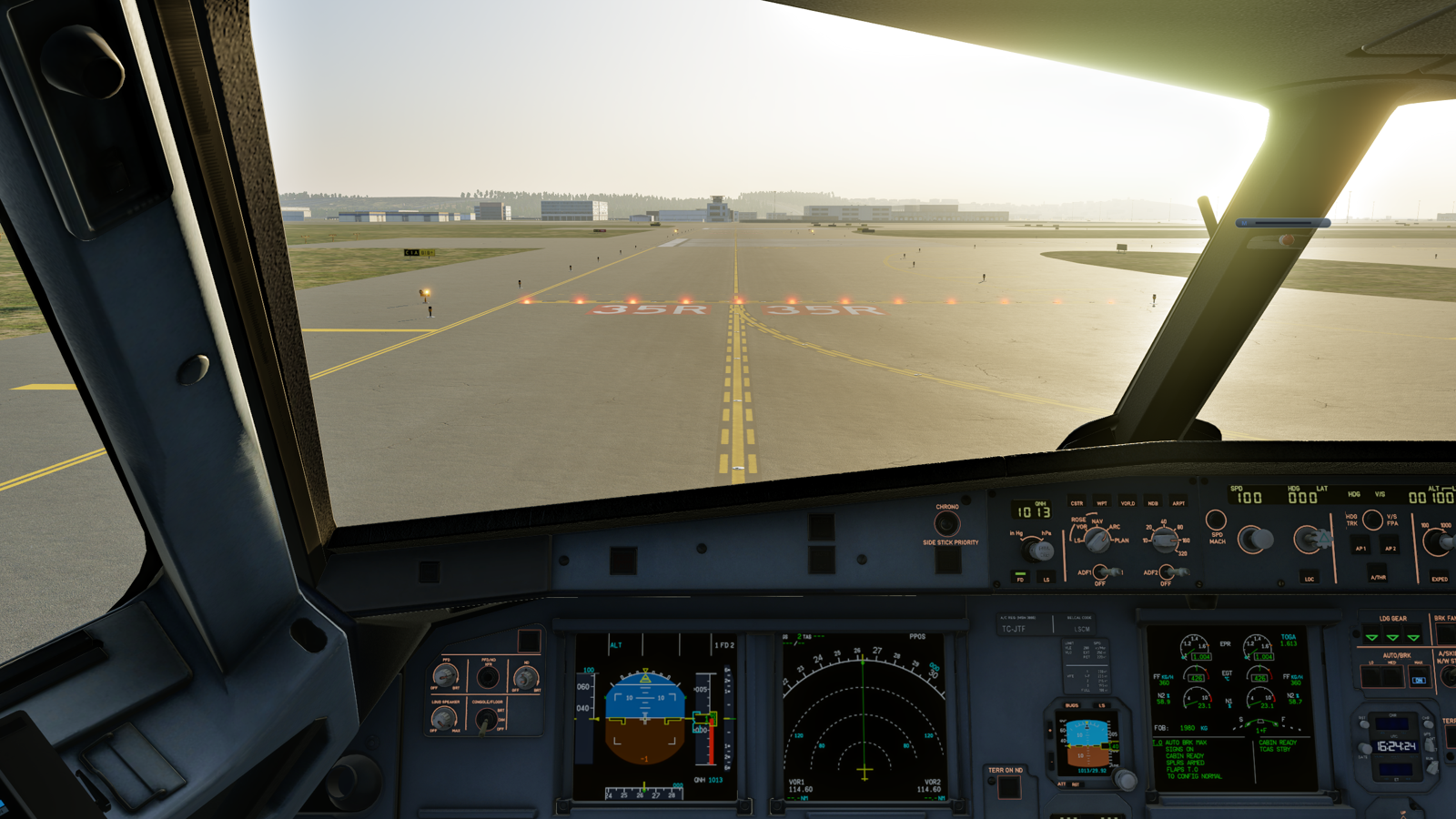
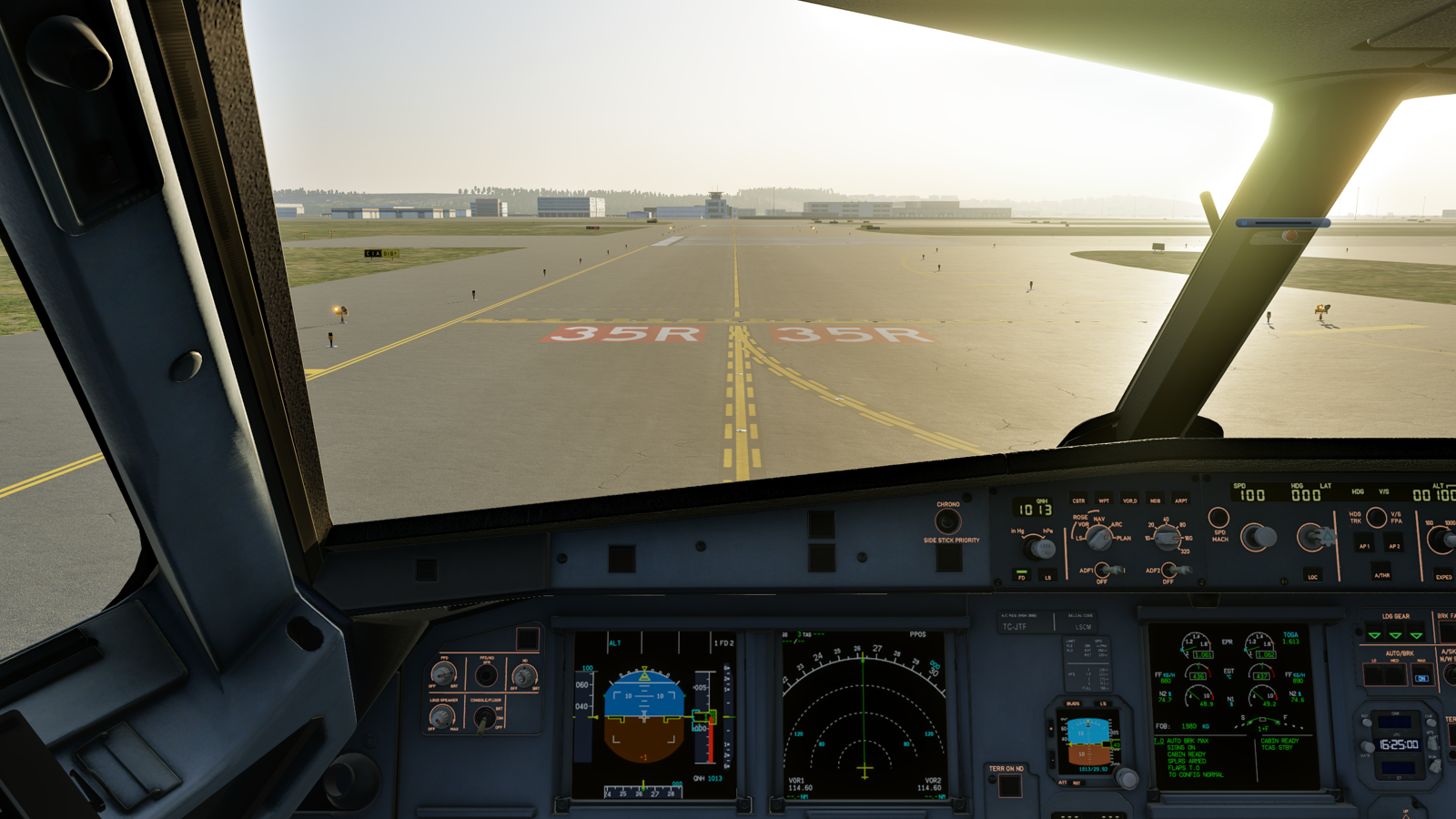
What to know:
- A controller switches each bar on or off from their radar.
- Pilots never toggle a bar themselves. The plugin reflects the controller’s state.
- A bar with no controller online is also dark (no-entry bars excepted). Check
Controlled by …in your sim’s panel. - A bar sitting slightly off the scenery markings can be fixed with a community correction.
Per-bar Default / LVP states
Section titled “Per-bar Default / LVP states”Larger airports have a second, farther-back holding position on many entries. That is the CAT II/III holding position, which protects the ILS critical area in low visibility.
So every stop bar carries a Default / LVP state, set by the mapper in the editor. It decides when the bar lights: in normal operations, in Low Visibility Procedures, in both, or neither.
| State | Normal ops | LVP on | Typical use |
|---|---|---|---|
| ON | Lit | Lit | A regular hold-short bar (the default). |
| Non-LVP only | Lit | Dark | CAT I holding position. |
| LVP only | Dark | Lit | CAT II/III holding position. |
| OFF | Dark | Dark | Off in both regimes; switched by hand when needed. |
As in the real procedure, only the holding position in use is lit. When a controller turns LVP on for the runways they hold:
- Every
LVP onlybar lights. - Every
Non-LVP onlybar goes out. - So an aircraft cleared past the CAT II/III bar never faces a lit bar inside the critical area.
ONbars are untouched, and a controller can still switch any bar by hand.
Full controller detail is on the EuroScope page.
No-entry bars
Section titled “No-entry bars”A no-entry bar blocks entry to a one-way lane, a closed taxiway link or an exit-only stand entrance. No-entry bars are described in ICAO Annex 14 §5.3.24.
- It is permanently red. Controllers cannot clear it while its no-entry condition applies.
- No controller can toggle it. The server pins its status red for everyone, and the controller plugins refuse to make it a click target.
- A no-entry bar can be tied to one regime through its Default / LVP state. An
LVP onlyno-entry bar is pinned red only while LVP is on; in normal ops it is an ordinary, switchable bar.Non-LVP onlyis the reverse.ONbars are no-entry in both.
Amber IHP lights
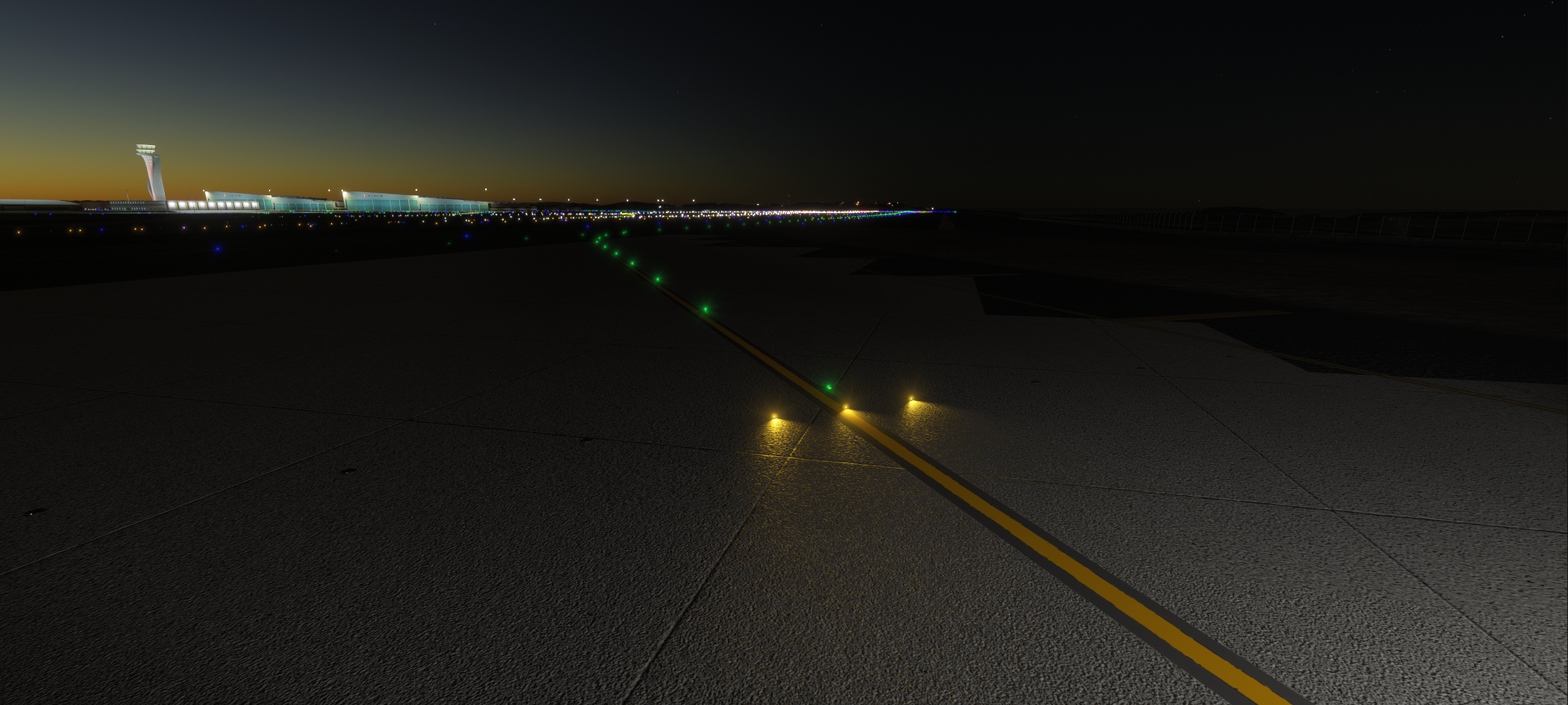
Section titled “Amber IHP lights”An intermediate holding position can have three amber lights. It may be an IHP-only position or a Stop bar + IHP position.
Automatic amber is on during LVP. Outside LVP, it follows the airport map’s setting. A permitted ATC override can change that state. On a combined bar, red takes priority and amber goes out.
For pilots, the lights are an aid. Keep following ATC instructions; amber is not a taxi clearance.
Controller IHP controls · Map an IHP
Lead-on/off lights
Section titled “Lead-on/off lights”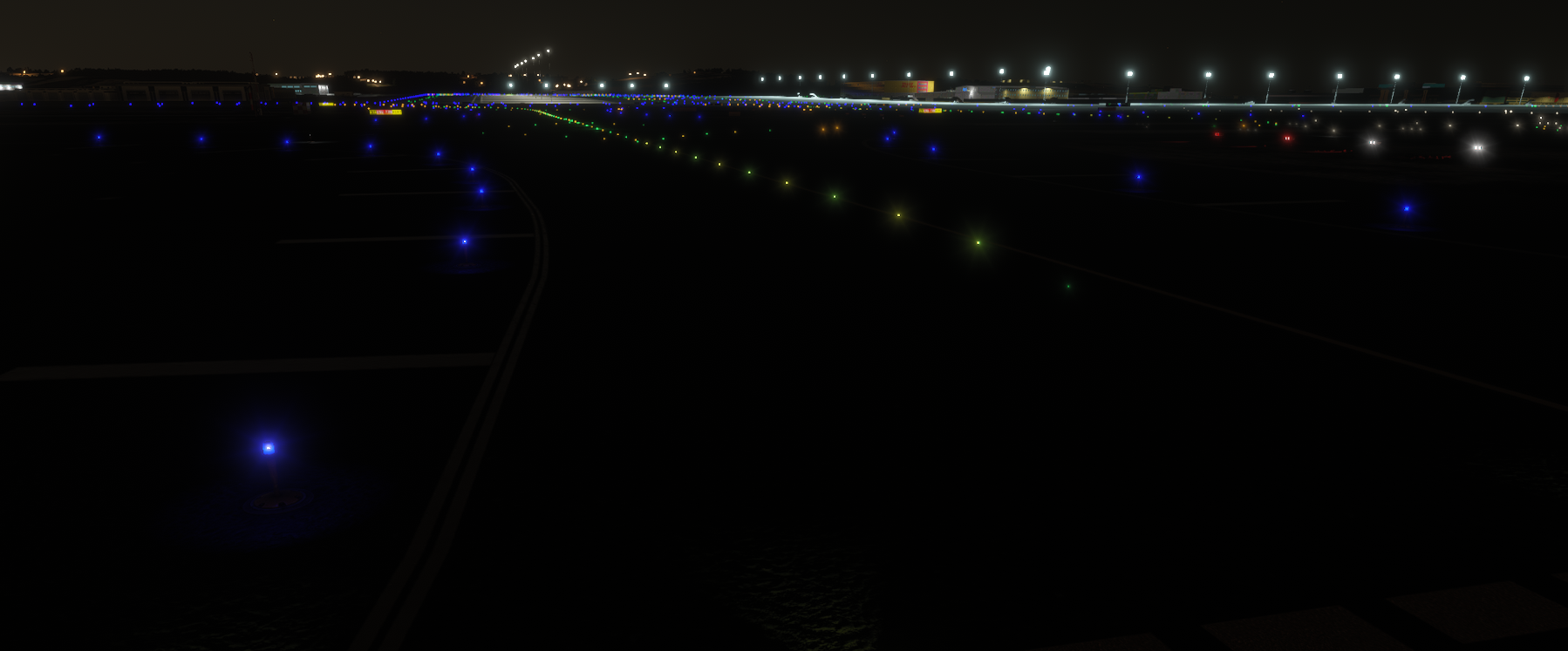
Controllers: there is a video tutorial on switching these from EuroScope.
A line of green or green+amber centerline lights beyond a stop bar, along one route - onto the runway, or across it. When the controller clears the bar for you, the greens for your route light with it.
| State | Meaning |
|---|---|
| Green | The route the bar was cleared for. Follow it. |
| Green / amber alternating | Same route, inside the ILS critical area - clear it fully before stopping. |
| Dark | The bar has not been cleared for this route - or your controller’s client does not drive lead-on. |
What to know:
- A bar can carry several lines - one or more per departure runway end, plus one for crossing. Only the line you were cleared for lights; the others stay dark.
- A route onto the runway ends at the runway centerline. A crossing runs across in one continuous line to the far side.
- Lead-off: vacating the runway after landing, steady greens or green+amber lights along the exit guide you out.
- With no ATC controlling the bar, all the lead-on/off lines belonging to the bars will be lit.
Takeoff Hold Lights (THL)
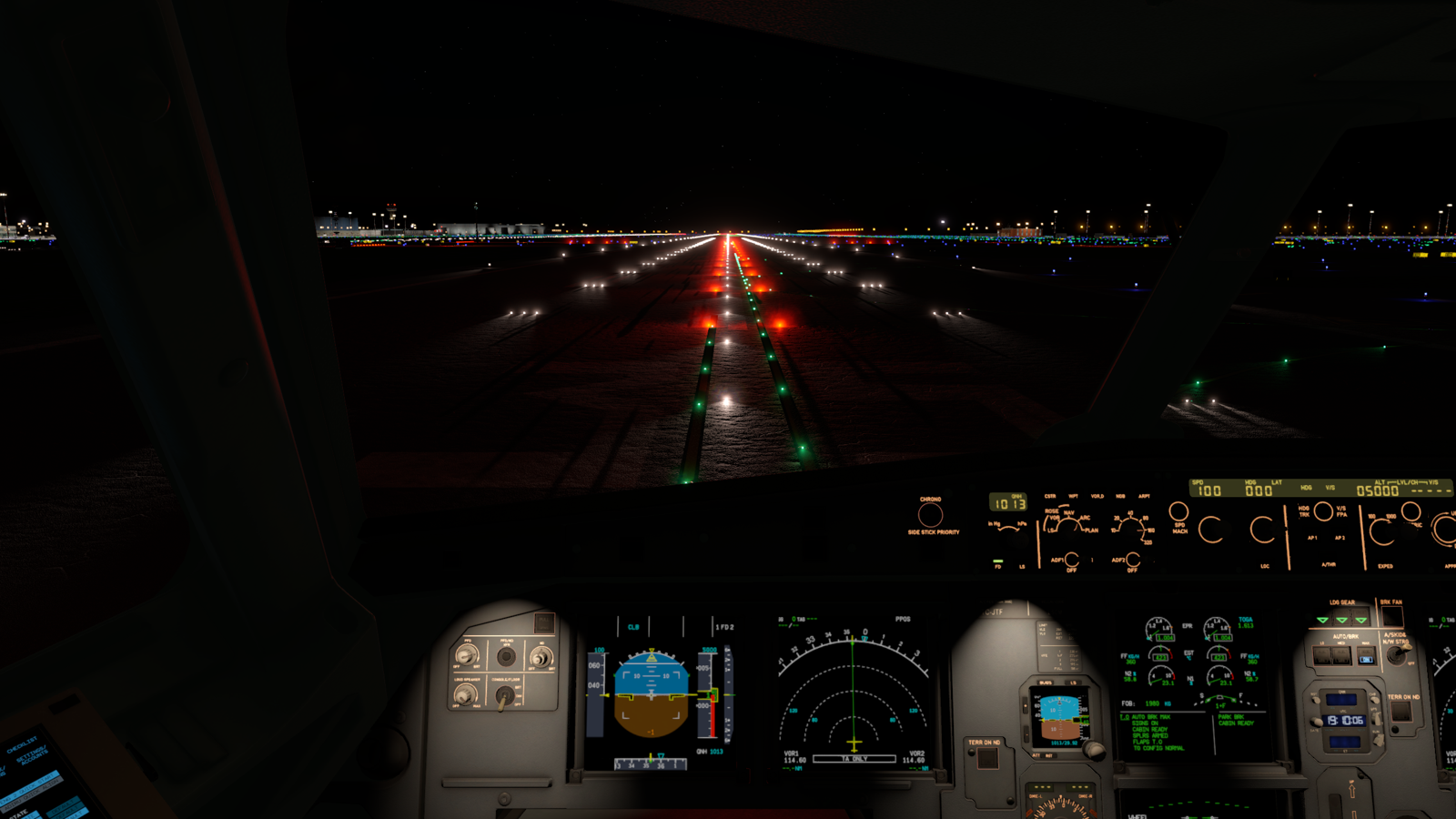
Section titled “Takeoff Hold Lights (THL)”A double row of red in-pavement lights down the runway centerline, ahead of an aircraft lined up to depart (figure below). They warn you not to start your takeoff roll.
| State | Meaning |
|---|---|
| Red | Do not begin the roll - there is traffic on, or entering, the runway ahead. |
| Dark | No warning is shown. A takeoff clearance is still required. |
What to know:
- Automatic. Nobody switches THL by hand. A controller arms THL on a runway, and from then on the monitor drives the lights.
- THL predicts traffic movement. It uses each target’s current motion to predict its path.
- A crossing aircraft lights the runway before it arrives.
- The lights clear the moment the conflict is predicted to resolve.
- How far ahead it looks depends on the controller’s settings.
The full array is a double row of 32 red lights. It begins 375 ft (114 m) past the threshold, spaced 100 ft (30 m) apart over 1500 ft (457 m), set 6 ft (1.83 m) either side of the centerline.
Where THL shows
Section titled “Where THL shows”- In both X-Plane and MSFS.
- Only while connected to VATSIM and below 1,000 ft AGL - the same gate as the stop bars.
- Only when a controller has THL armed for your runway.
- The lights come entirely from the controller’s ground-radar picture.
- With nobody online, or nobody with THL armed, you see none.
- That absence is not an all-clear.
:::
Runway Entrance Lights (REL)
Section titled “Runway Entrance Lights (REL)”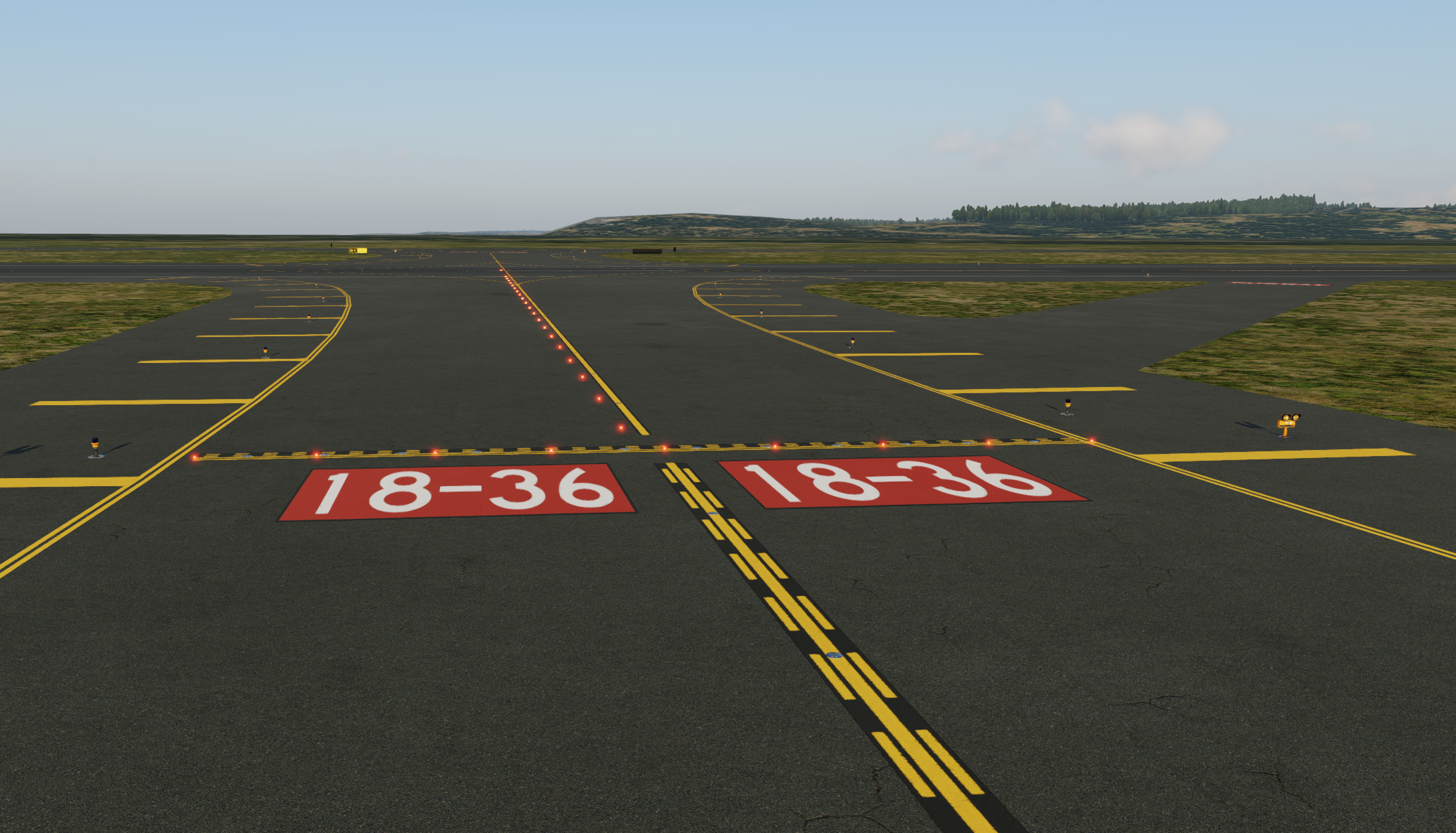
A row of red in-pavement lights running from the holding position - usually the CAT I one - along the taxiway and onto the runway. It marks the path an aircraft takes to enter, and warns you not to enter or cross.
How the row is laid down:
- Offset from the taxi centerline.
- It ends automatically at the runway edge.
- A final light is placed offset onto the runway centerline.
| State | Meaning |
|---|---|
| Red | Do not enter or cross - there is traffic on the runway, or about to be. |
| Dark | No warning is shown. This is not permission to enter. |
How REL differs from the other lights:
- Stop bars lie across the taxiway and a controller switches them.
- REL runs along your path onto the runway and is automatic.
- THL is on the runway centerline, for an aircraft already lined up.
Where REL shows
Section titled “Where REL shows”- In both X-Plane and MSFS.
- Only while connected to VATSIM and below 1,000 ft AGL - the same gate as the stop bars.
- Only where the airport has published REL rows for the scenery you fly.
- REL rows are drawn by contributors, entrance by entrance.
- They are separate from the stop bars - an airport can have bars and no REL.
- See Mapping REL rows.
- Only when a controller has claimed REL for that runway.
- Like THL, the lights come from the controller’s ground-radar picture.
- With nobody holding that runway’s REL you see none.
- That absence is not an all-clear.
Follow the Greens (FTG)
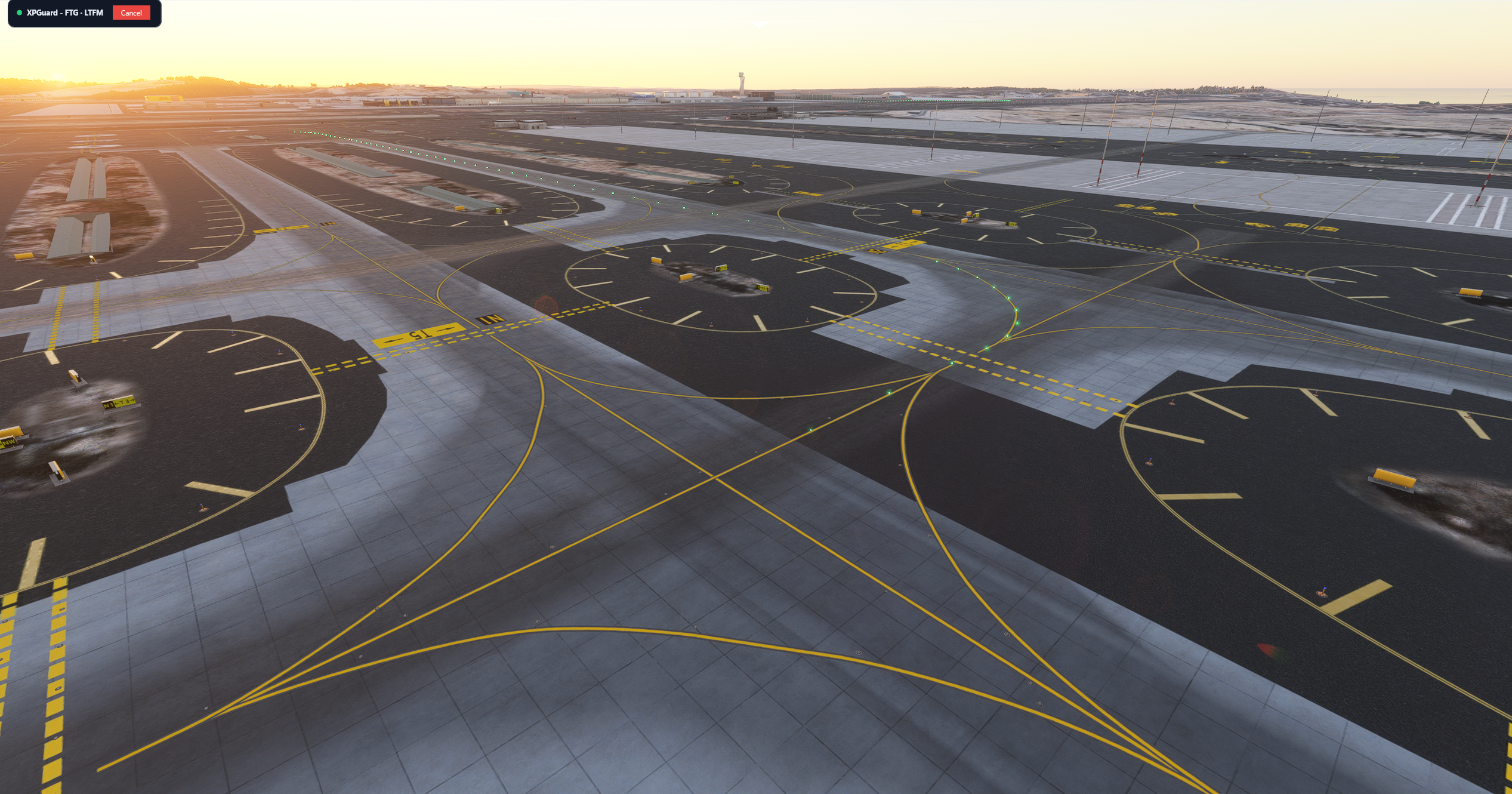
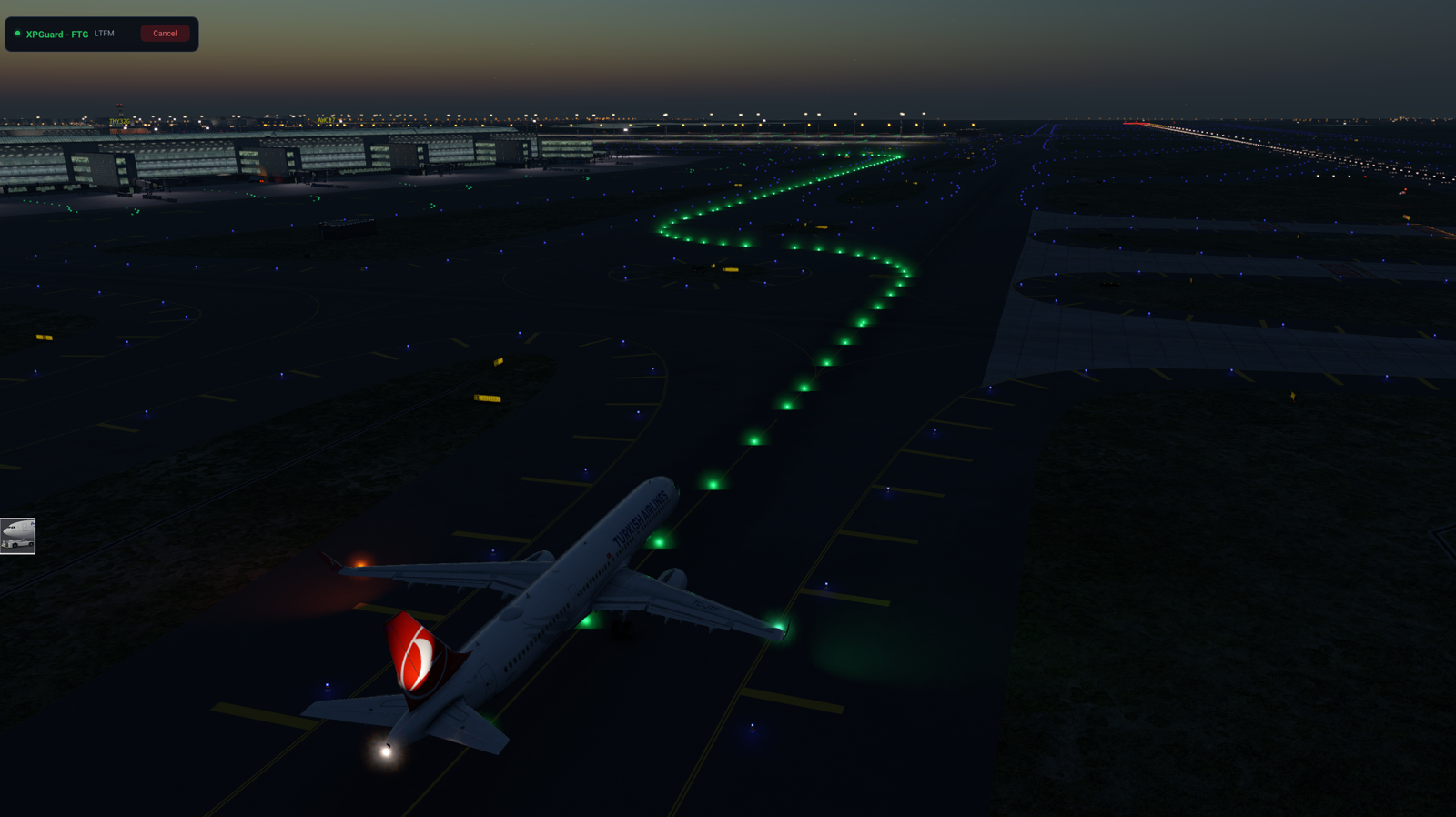
Section titled “Follow the Greens (FTG)”A trail of green taxiway centerline lights a controller switches on to lead you along your cleared taxi route. You taxi by following the greens.
How it works:
- Controller-driven and VATSIM-only. You never start FTG yourself.
- A controller draws your route on the radar and sends it.
- You get a request popup naming them. Accept it.
- The greens light along your route, starting at your aircraft. Follow them.
- They go out behind you as you taxi.
- By default they keep only a short stretch lit - a moving window a little behind and a good way ahead - sliding along with the aircraft.
- A controller can instead light the whole route at once.
- The greens hold short at red stop bars.
- Where the lit line ends is where you hold.
- They continue on their own when the bar is switched off.
- They never light green past a lit red bar.
FTG needs a published taxi network, so it is not available at every airport. It also needs a controller who offers it. If nothing lights, that is normal.
Green brightness is set separately from the red lights in your sim’s panel.
More detail:
- Per-sim behavior (accepting a request, the active-session card, scenery alignment) is on the X-Plane and MSFS pages.
- The controller workflow is on the EuroScope page. FTG is EuroScope-only on the controller side.